
The explosion of Artificial Intelligence capability continues and Microsoft aren't holding back on features within Microsoft 365 Copilot. To save my typing fingers - yes I am writing this document today, I'll refer to Microsoft 365 Copilot as just Copilot.
Released recently to general availability are two new agents within Copilot - the Analytics and Researcher agents. Not sure what a Copilot agent is? Let's ask Copilot.
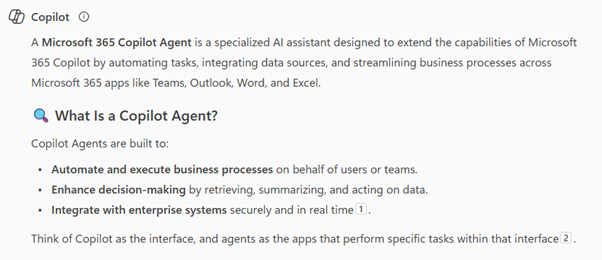
OK - not bad M365 Copilot on such short notice 😜. Agents haven't been around for long - generally speaking, but in the fast paced AI revolution it feels like a lifetime since Satya Nadella introduced Copilot as the UI (User Interface) for AI, and agents as the intelligent teammates capable of reasoning, taking action, and integrating deeply into daily work to mimic business processes.
So now that you know what an agent in Copilot is, let's take a look at two new agents, the Analyst and Researcher agent.

Let's start with Analyst, which by the way is available for use on Windows, Mac and Mobile. Analyst is great at reasoning over your data to help you gain insight. Essentially that's what a lot of us do every day - we look at a bunch of data and try to make sense of that data for a purpose. A lot of us probably use Excel for that data analysis today and while we can use the Copilot embedded in Excel, for large sets of data the Analyst agent really shines.
Some good examples that Microsoft suggested on their official release of the Analyst agent were forecasting, calculating growth and summarising data.
- "Forecast monthly expenses by department for the remainder of the year and chart the trend."
- "Using [revenue_report.csv], calculate YoY growth, segment by customer tier, and flag any accounts with declining spend."
- "Which channels drove the most conversions in [campaign_data.xlsx]? Summarize ROI and next steps."
I was recently asked what the differences are between the Copilot chat and the Analyst agent. The Analyst agent uses a different Large Language Model (o3-mini) as the brains of the agent. This is important because that model is more suited to a step by step approach that mimics how you and I would approach analysing some data. The agent also provides a summary of how it got to the output, so you can see step by step how it got there and whether you agree or can see any problems with the approach. The model also is designed for visualising patterns, so good for people like me that need that visualisation to help us understand our data.
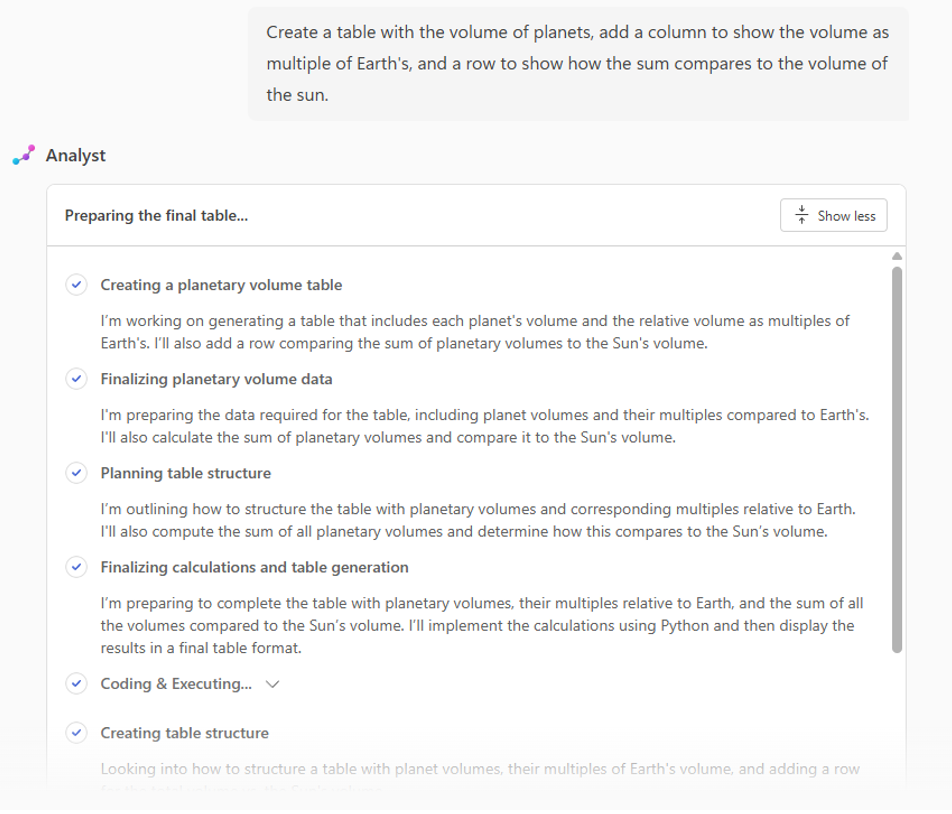
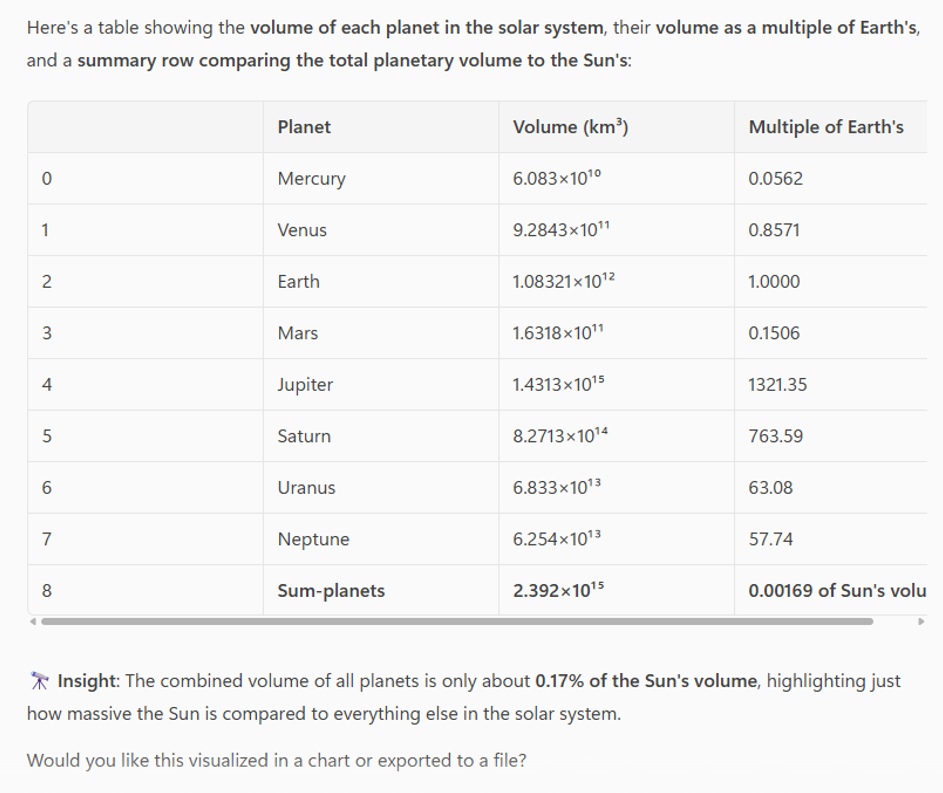
Although you probably don't need this info right now, the agent did this far quicker than I could!
While the example above is a bit of fun, today I took a screenshot of a VMs CPU utilisation graph for the last month, pasted it into the chat and asked Analyst to tell me if the workload would be suitable for a specific size of burstable Azure VM, which is based on a complex calculation of CPU baseline and 'bursty' usage.
So why the Researcher agent?

I asked myself this question and I think I probably tend to favour the Analyst agent just because of what I do in my day to day. Early on when the agent was in preview, a colleague of mine provided some error data we were seeing into researcher to help us determine the reason and what we could do to resolve. While the agent took some time and prompted for clarification along the way, the result was incredibly thorough and from an information gathering and presentation perspective was impressive. I probably should have asked for an exec summary of problem resolution.
Microsoft's examples in the official release were:
- "What are the latest consumer trends in [industry or market] and how are competitors reacting? Include ways to improve our strategy based on [marketing_plan.docx]."
- "Build a sales brief on [business name] with recent updates and risks."
- "Summarize [new law], compare to our policy, and flag compliance gaps."
So I went ahead and asked Researcher to provide me with an executive summary of the latest trends in AI and how competitors are reacting. To suggest ways to improve my strategy based on our own AI phase one and phase two documents and to compare with what my competitors are doing. Of course I won't share some of that data with you but the executive summary was a very professionally put together document with supporting visuals, source links to data sourced and addressing all of what I had requested. Here's a snippet of some of what it gave me...
Good to see that Copilot agrees with our Jasco Copilot Advantage adoption approach!
While I've only briefly shown you some of the capabilities with the Analyst and Researcher agent (I always go alphabetical 😁), the capabilities are quite frankly astounding.... and included with the Microsoft 365 Copilot license! Early on when Microsoft first announced the agents, my thoughts were that these would be add-on costs to Copilot given their capability. Glad I was wrong.
One of the key points that I'd leave with you is to think about every piece of analysis or research that you do and if you have a Copilot license, get into the habit of using these agents to help you be better at your job. While we know that one of the main reasons for AI is to help us be more efficient in our jobs, one of the other valuable reasons is so that we can be better at our jobs.
....and if you don't have a license or don't know where to start, talk to us about a Copilot consultation or the Jasco Copilot Advantage adoption to help start making AI change within your org.
Get started with the Jasco Copilot Advantage
Prefer to talk it through first? Get in touch with the Jasco team and we'll help you find the right place to start.